Embed the agent anywhere
RoutMe's agent can be embedded in three ways. Paste one script tag to get the prebuilt web widget. Use the React library or the headless client to build your own interface on the same event stream. Then use the server SDKs in Node, Python, Go, PHP or Ruby for messaging and webhooks. The widget can match your site's colors on its own.
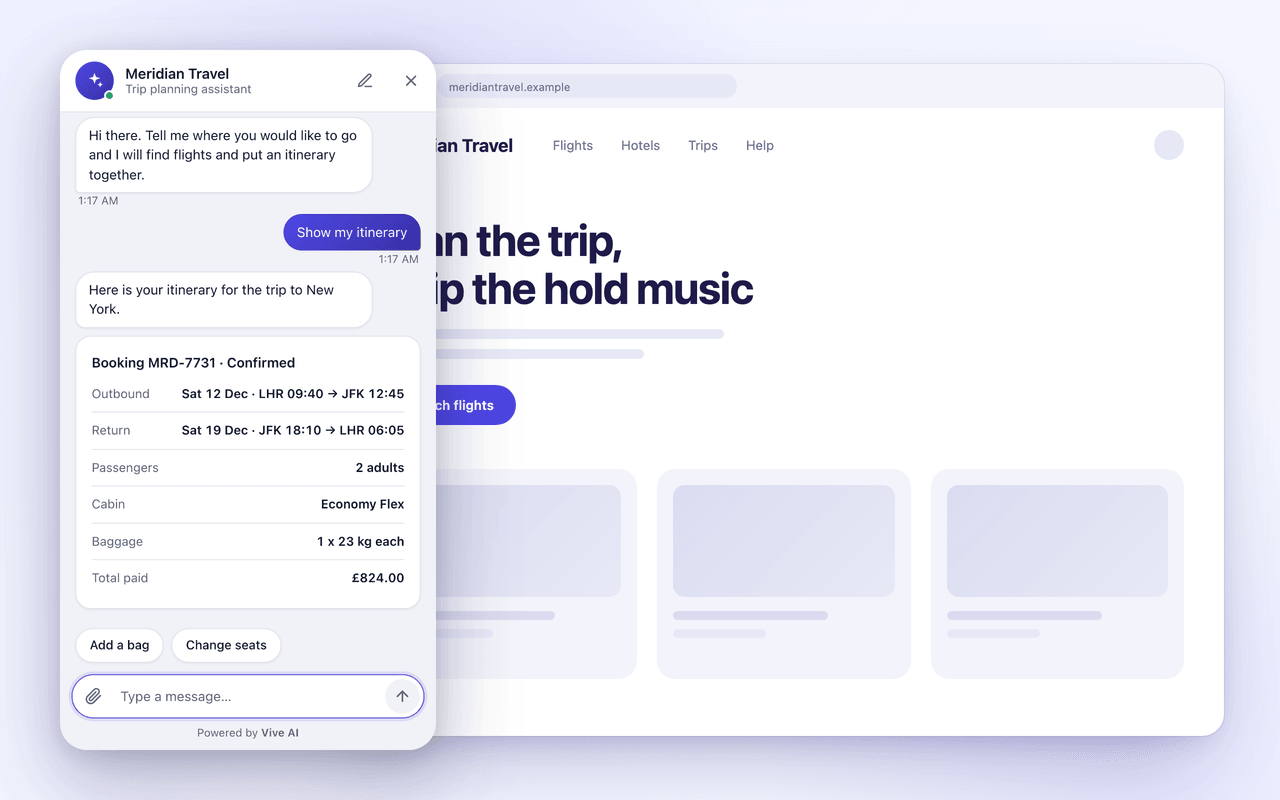
What you get with embed anywhere
The web widget
One script tag with a public widget key. Access is controlled by an origin allowlist. It goes full screen on phones and follows light and dark mode.
Themes that match your page
Set title, greeting, accent color, corner shape, launcher icon and position. Or turn on page matching so the widget reads your colors and light or dark mode.
Headless client and React
A React hook runs the event stream for you and returns streaming messages, rendered surfaces and state. Or call the two HTTP endpoints directly.
Server SDKs
Official clients for Node, Python, Go, PHP and Ruby with typed requests, retries and webhook signature verification.
How it works
- 1
Create a widget
In the dashboard, add a widget and list the exact origins that may load it, including the scheme.
- 2
Paste the snippet
Add the script tag before the closing body tag. It loads asynchronously. Individual pages can override the title, color or theme with data attributes.
- 3
Shape the agent
Give the widget its own instructions, tools, knowledge and suggested questions, and choose an industry preset in the editor.
- 4
Go deeper when you need to
Identify signed-in visitors with a signed token, build a custom interface in React, or use an SDK on your server.
Examples
The same capability across industries
- Clinic
- A patient portal loads the widget with a signed token, so patients see their own appointments after login.
- Travel
- A booking site matches the widget to its brand colors and font with a single attribute.
- Real estate
- Separate widgets for sales and lettings pages, each with its own instructions and listings tools.
- SaaS
- A React app renders the chat with the hook, using its own design system for messages and cards.
- Banking
- A signed-in app passes a one-hour identity token and refreshes it on sign-in.
- Retail
- A storefront adds the snippet to its theme, and a Node service verifies webhooks with the SDK.
Limits worth knowing
- The widget key is public. The origin allowlist protects it, so list origins exactly.
- Chat is live on the web today. Other channels are described on the channels page.
- The SDKs cover sending messages and verifying webhooks. Everything else is on the REST API.
Documentation
Frequently asked questions
Is the widget key a secret?
No. It is meant to be in your page source. The widget only loads from origins on its allowlist.
Can I match my site's look?
Yes. Set colors, shape, launcher and position, or turn on page matching so the widget picks up your accent color and light or dark mode.
Can I build my own chat interface?
Yes. Use the React hook, or the headless HTTP endpoints, and render messages and components yourself.
Which languages have SDKs?
Node and TypeScript, Python, Go, PHP and Ruby. They produce identical webhook signatures.
Can different pages behave differently?
Create one widget per audience, each with its own instructions, tools and knowledge, and override cosmetic settings per page with data attributes.
See it on your own data
Tell us what your customers ask. We will show the agent answering from your systems.