AI chat for Shopify stores, grounded in your own store data
RoutMe is an AI agent platform for customer conversations. On a Shopify store it answers order, returns and product questions from the store’s own data, on a website chat widget and on WhatsApp, and hands off to your team when it should. It reads and never changes store data by default.
Who this is for
Stores whose inbox is full of the same questions, with answers that already sit in Shopify.
Merchants drowning in WISMO
Where-is-my-order questions repeat all day, and the answer is a lookup.
Stores with a returns policy
Shoppers ask what is eligible. The policy is written down, so the answer can be quoted.
Teams with a developer or agency
Connecting read-only tools needs someone who can run a small MCP server.
The integration pattern, in three steps
- Step 1
Add the widget to your theme
Paste one script tag into theme.liquid. The widget loads asynchronously on your storefront pages.
- Step 2
Expose your store as read-only tools
Run an MCP server that calls your Storefront or Admin API with credentials you control, and mark each tool read-only.
- Step 3
Add your policies and test
Add return, shipping and sizing content as knowledge sources, then try real questions in the preview.
Step by step theme instructions are in the Shopify setup guide. The one-import path that turns a REST or OpenAPI API into MCP tools is in progress and listed as coming soon below.
What the assistant can do for a store
Order status (WISMO)
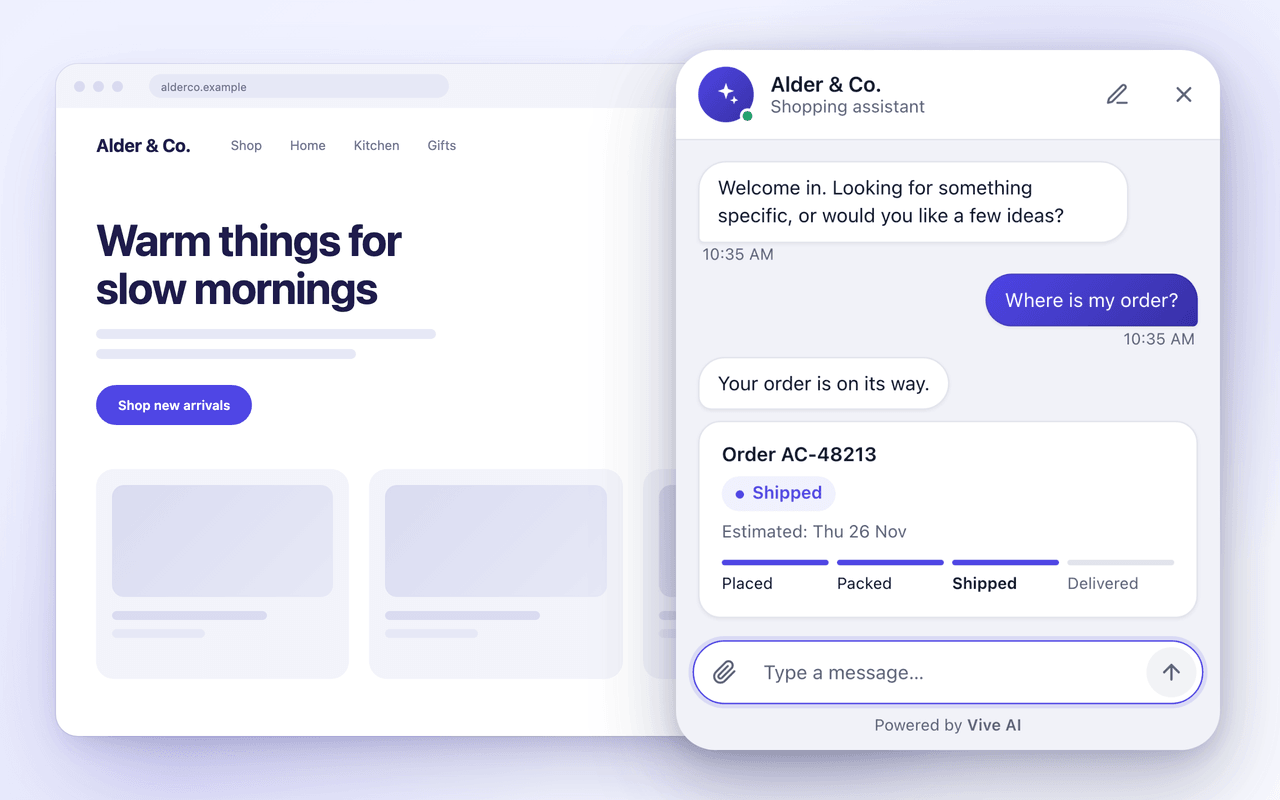
Looks up one order after the shopper proves it is theirs and answers from the record.
Returns and exchanges
Explains eligibility from your policy and the real purchase date, then routes the request.
Product discovery and sizing
Searches your catalog and shows products as cards, with sizing guidance from your own content.
Policy answers
Quotes your shipping, returns and warranty pages instead of improvising.
Handoff to a human
Passes the conversation to your team with the context and every lookup attached.
Read-only by default
The chat assistant is only offered tools the server marks read-only, and answers are grounded in your store’s own data and documents. Learn what read-only means.
Which Shopify APIs your tools can use
These are Shopify’s own APIs. Your MCP server calls them with credentials that never reach the shopper.
| API | What it gives | Authentication | Typical use | Source |
|---|---|---|---|---|
| Storefront API | Products, collections, search, pages and cart. Several of these work without a token. | Public or private Storefront access token for features that need one. Private tokens stay on a server. | Product discovery, availability and policy pages. | Docs |
| Admin API (custom app) | Orders, products, customers and fulfillments, depending on the scopes you grant. | A custom app access token sent in the X-Shopify-Access-Token header. Orders need read_orders, which covers the last 60 days; older orders need read_all_orders. | Order status, tracking and return eligibility, on a server you control. | Docs |
| Customer Account API | The signed-in customer's own orders, profile and addresses. | OAuth 2.0 with the customer's consent. It authenticates the buyer, not an app. | Per-customer answers where the shopper signs in, mostly on custom or headless storefronts. | Docs |
Admin API limits are based on calculated query cost and vary by plan, and Shopify says buyer traffic to the Storefront API is not rate limited. See Shopify’s rate limit documentation.
What is live today and what is coming soon
| Capability | Status | What it means |
|---|---|---|
| Website chat widget (script tag) | Live | Works on any site where you can add a script, including a Shopify theme. |
| WhatsApp channel | Live | Official WhatsApp Cloud API with opt-in, 24-hour window, templates and opt-out enforced. |
| MCP connections to your own tools | Live | You connect an MCP server over HTTP. The chat assistant only uses tools marked read-only. |
| Knowledge sources | Live | Paste text, add a URL or upload a spreadsheet so policies and sizing guides ground answers. |
| Generative UI cards and quick replies | Live | Product and order cards through AG-UI and A2UI, from a closed component catalog. |
| Shared inbox and flows | Live | Handoff lands in the inbox. Flows combine fixed rules with an agent step. |
| REST or OpenAPI to MCP tools in one import | Coming soon | In progress. Until then you connect an MCP server you build or host. |
| Custom components builder | Coming soon | A builder for your own UI components in chat. |
| Web voice | Coming soon | Voice conversations on the website. |
| CopilotKit-based widget | Coming soon | A widget built on CopilotKit. |
| Shopify app or native Shopify connector | Coming soon | Not available. There is no Shopify app today and no date to share. |
Related guides for Shopify merchants
- AI chatbot for Shopify: what to look forA practical checklist for choosing an AI chatbot for a Shopify store, from theme install and data access to read-only tools, handoff and honest roadmaps.
- How to reduce WISMO ticketsWISMO tickets are where-is-my-order questions. Reduce them with proactive updates, self-serve tracking and a read-only assistant that answers from order data.
- How to automate returns safelyAutomate returns by letting an AI assistant check eligibility against policy and purchase date, explain steps, and route the request, with approval left to rules or people.
- How to add an AI chat widget to your online storeAdd an AI chat widget by placing one script on each storefront page and connecting read-only data. Steps for Shopify, WooCommerce, Wix and more.
- What is an AI shopping assistant?An AI shopping assistant answers shopper questions in chat using a store's own catalog, orders and policies. Here is how it works and where it stops.
- WhatsApp vs website chat for storesCompare WhatsApp and website chat for ecommerce support, covering reach, rules like the 24-hour window, costs, identity and when a store needs both.
Frequently asked questions
Is there a RoutMe app in the Shopify App Store?
No. RoutMe has no Shopify app, no Shopify certification, no Shopify partnership and no native Shopify connector today. You add the chat widget to your theme with a script snippet and expose your own Shopify APIs as read-only tools through MCP.
How do I add the RoutMe chat widget to my Shopify theme?
Create a widget in the RoutMe dashboard, copy the script snippet, then in Shopify admin open Online Store, Themes, Edit code, and paste the snippet into the theme layout file theme.liquid before the closing body tag. Duplicate the theme first so you can roll back. The full steps are in the setup guide.
Can the assistant look up Shopify orders?
Yes, through an MCP server you run that calls the Shopify Admin API with a custom app token. Shopify requires the read_orders scope, which covers orders from the last 60 days unless you also hold read_all_orders. The tool should be marked read-only so the chat assistant can use it.
Can the assistant refund or edit an order?
Not by default. The RoutMe chat assistant is only offered MCP tools that the server marks read-only, so it can look things up and show them but cannot change store data. Refund approval stays with your team.
What about turning my Shopify API into MCP tools automatically?
Turning a REST or OpenAPI API into MCP tools with one import is in progress and listed as coming soon. Until then you connect an MCP server you build or host.
Does it work with Shopify checkout?
This guide covers storefront theme pages. We have not tested the widget inside Shopify checkout, so do not assume it appears there.
Does it work on WhatsApp for my Shopify store?
Yes. WhatsApp is a live RoutMe channel built on the official WhatsApp Cloud API, with opt-in, the 24-hour customer service window, templates and opt-out enforced. The same read-only store tools can be attached.
Is RoutMe affiliated with Shopify?
No. Shopify is a trademark of Shopify Inc. RoutMe is independent and is not affiliated with or endorsed by Shopify.
Sources for this page
Put an assistant on your store
Create a widget, paste the snippet, and test it before you publish.